Spend less time running your tutoring practice.
Keep students, sessions, teaching, student work and fees together — so running the practice doesn't become a second job on top of the teaching.
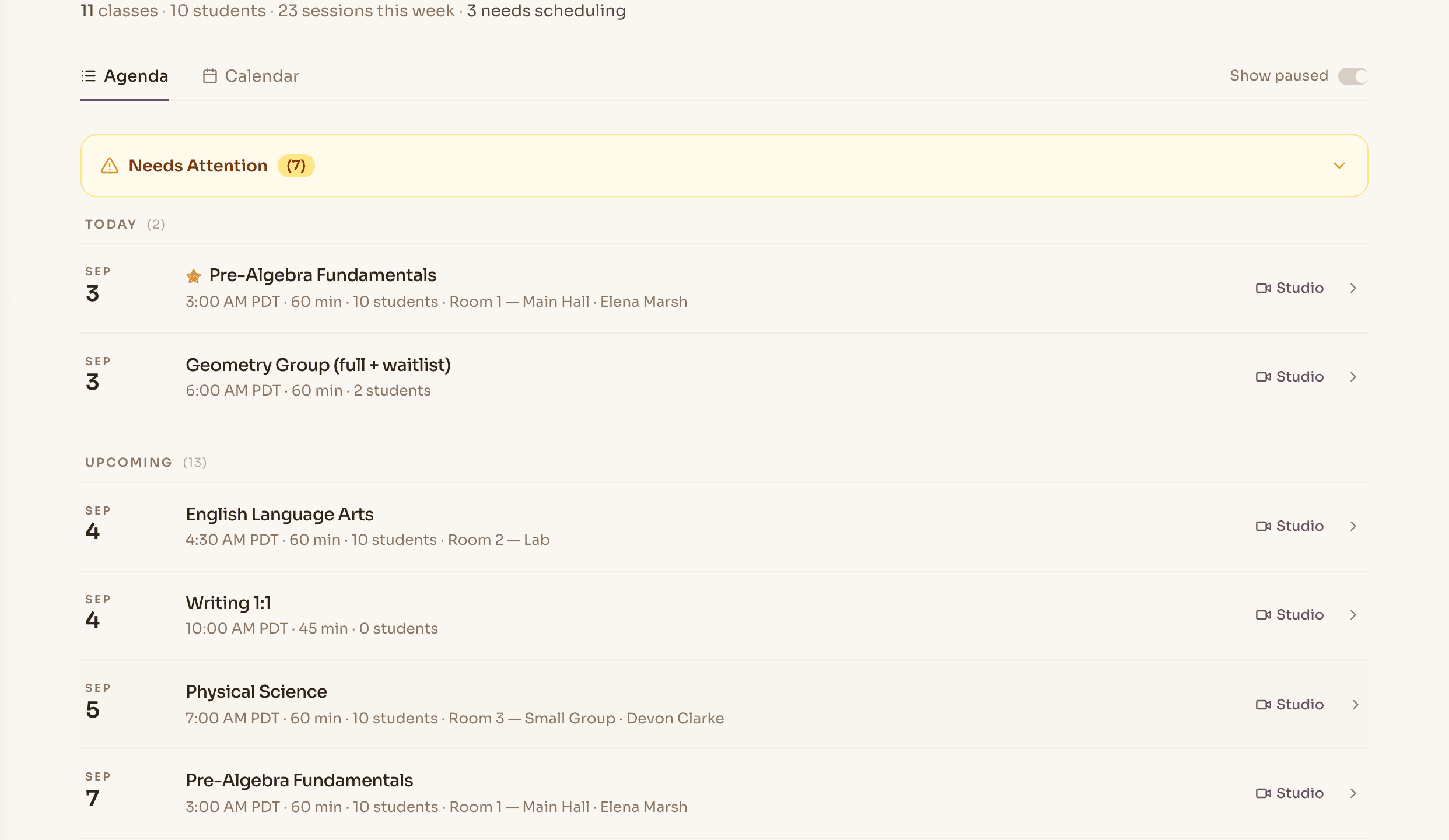
Teach and run the practice from the same place.
Most tutoring software handles the admin and leaves the teaching to something else. Novano does both, which is why the student record and the invoice know about each other.
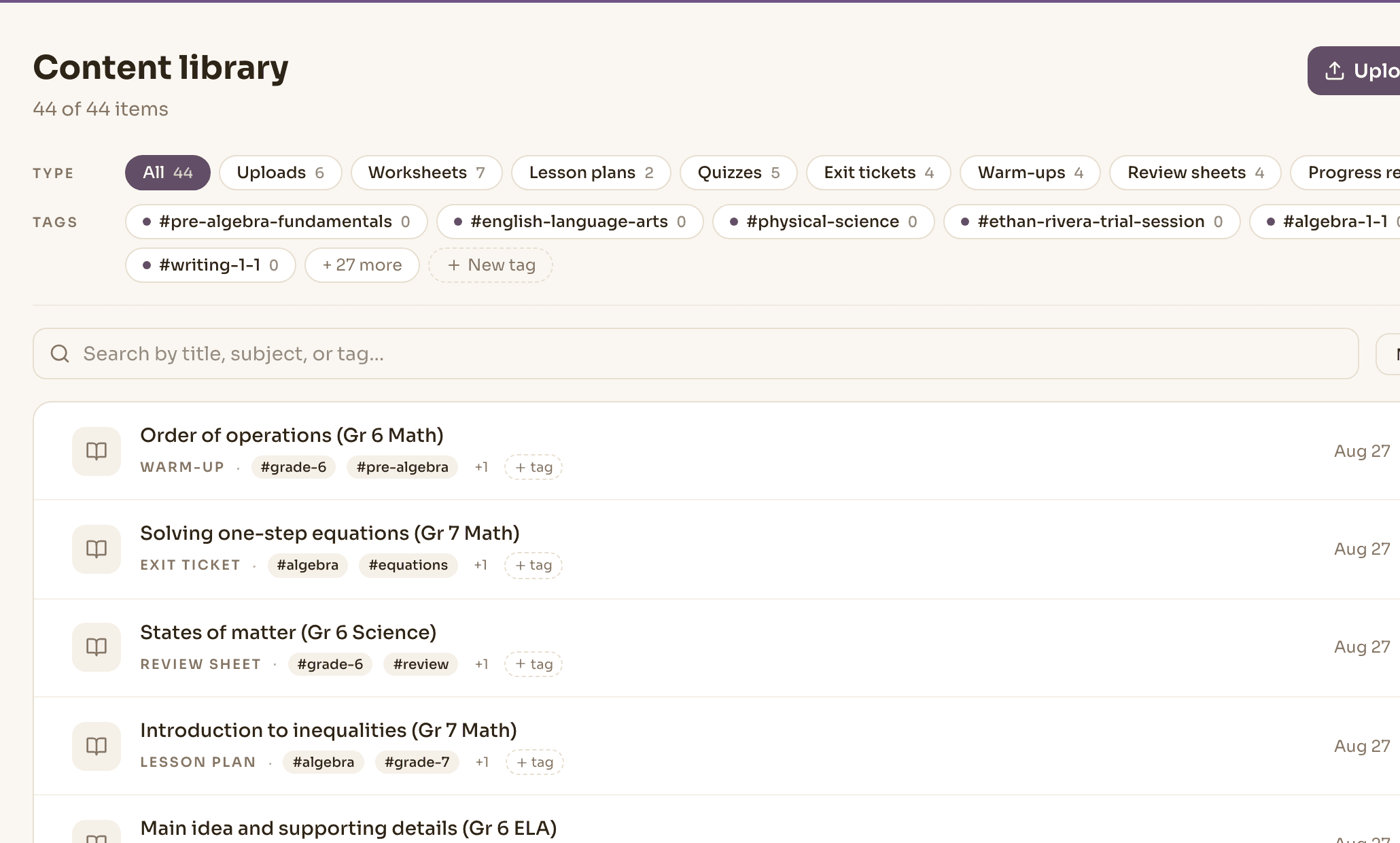
Your teaching materials already have a home.
Upload the worksheets and resources you already use, or create something new in Novano when you need it. Everything lives together in your Library, ready for the next lesson.
into
Use what you have. Create what's missing. Teach from both.
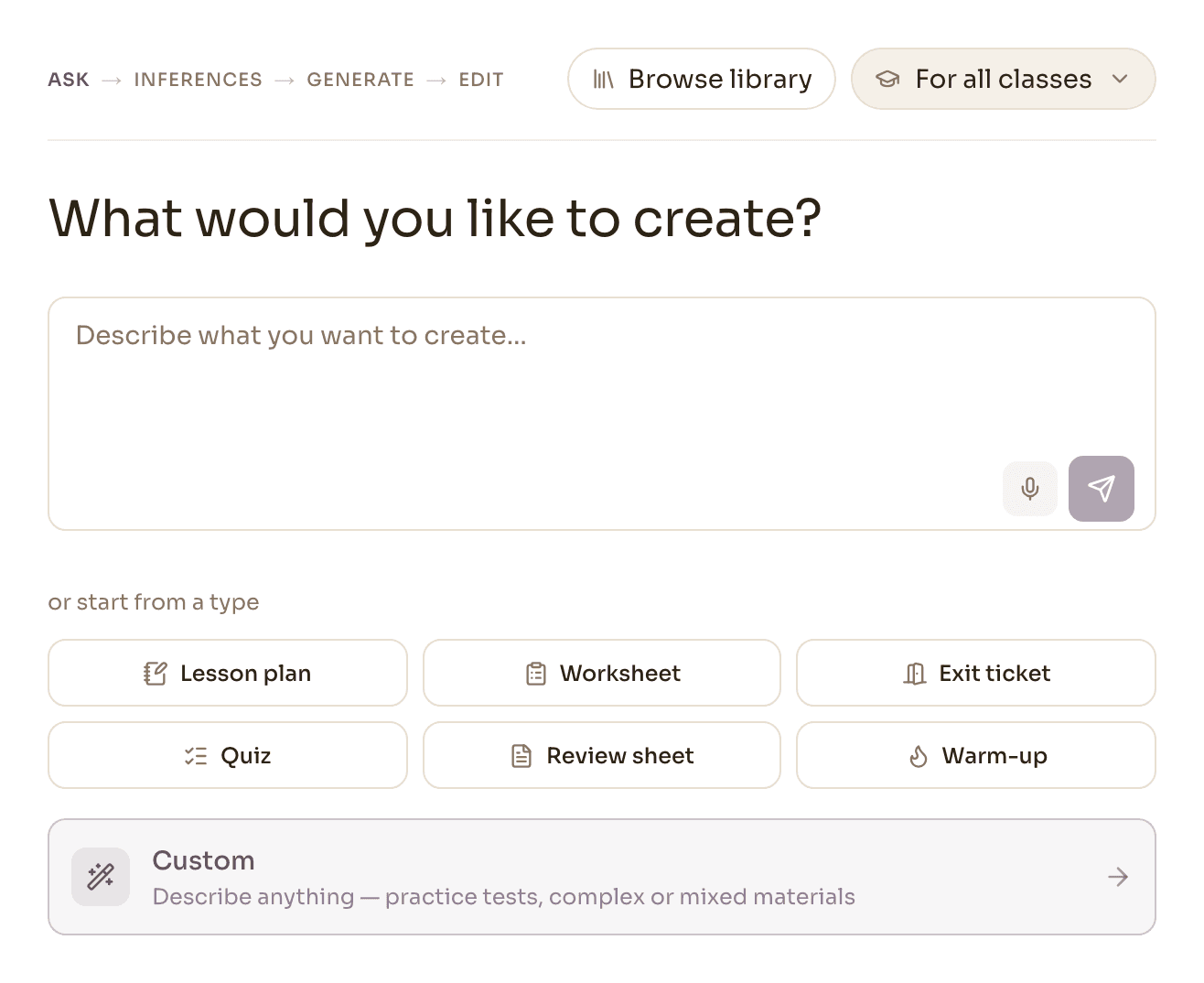
Start with a prompt instead of a blank page.
When you need something you don't have, tell Nova what you want — or record a voice note between sessions — and get a worksheet, quiz or lesson plan back with an answer key. Shape it, save it, and it's in your Library beside everything else.
Novano's creation tools are an accelerator for when you need one — not a requirement for teaching here.
Your classroom, not a Zoom link.
Open a lesson and your material comes with it — video, a shared whiteboard, and the worksheet right there to annotate together. The material doesn't just sit in a library; you teach from it, and the whiteboard is saved so a student can go back over it.
Group classes are built so students hear the class but never see each other's cameras.
The lesson doesn't disappear when the call ends.
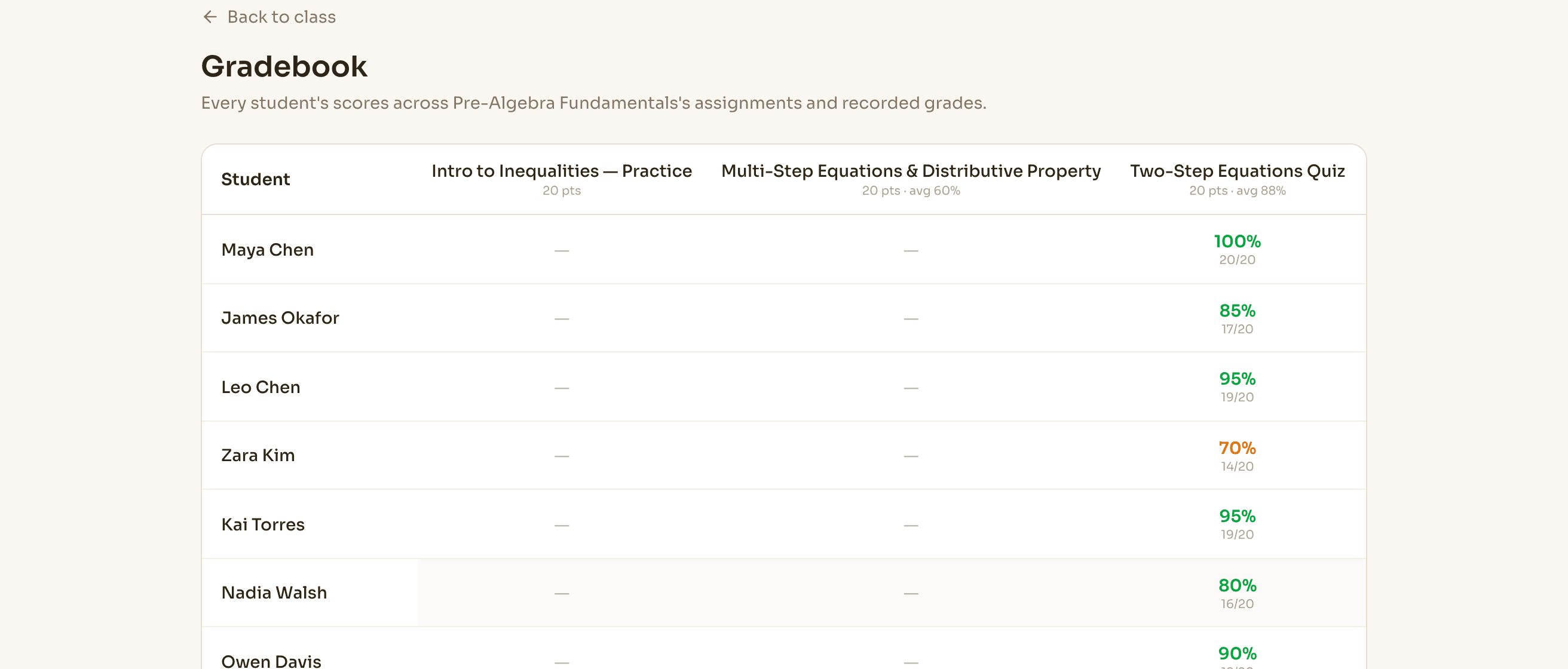
Assign work to a student or a whole class. Multiple-choice is scored on submission; Nova drafts the written ones for you to check. It all lands in a gradebook that becomes the student's record over time — improving, steady, needs attention, or not enough yet to say, rather than scattered notes and files.
Know what's owed without keeping another spreadsheet.
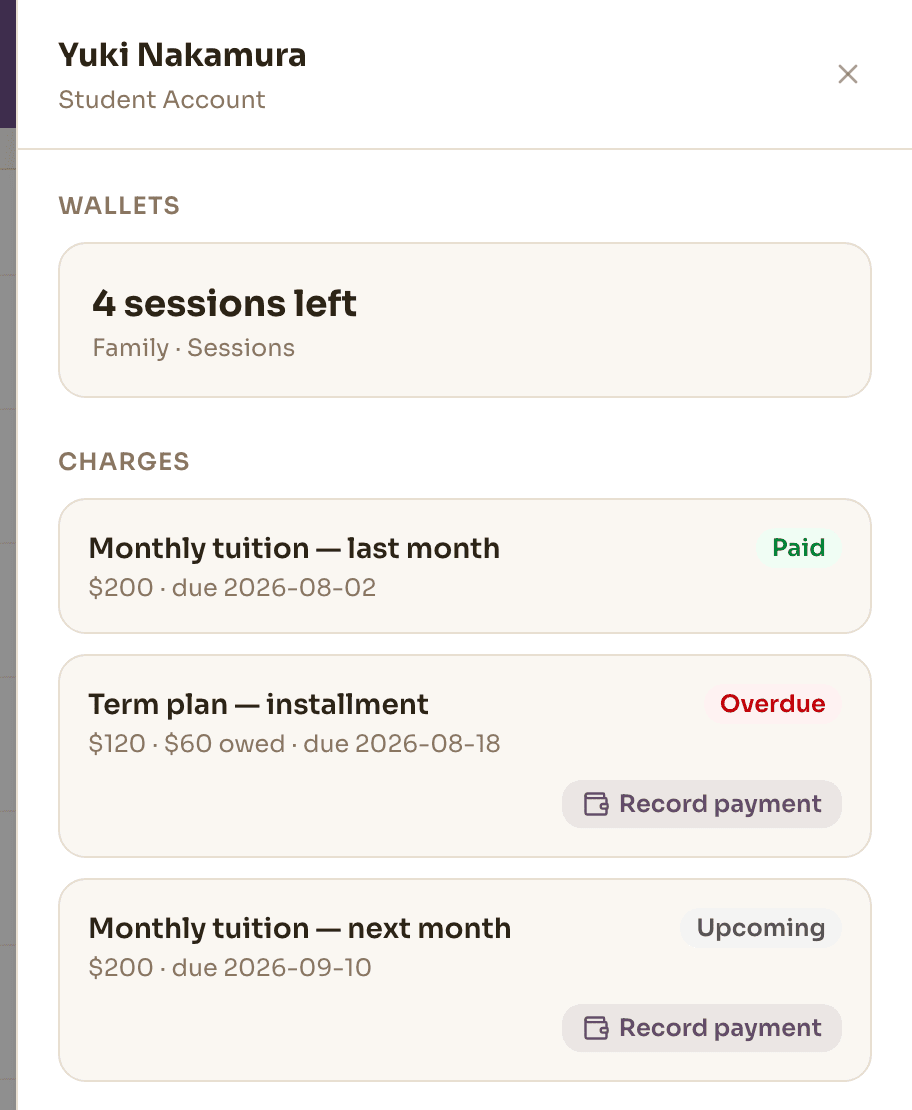
Charge upfront, sell a prepaid package that sessions draw down, or run a monthly subscription. What each family owes — due, paid, outstanding — stays in one place, and fee reminders go out without you writing them from scratch. You always know who owes what without maintaining a second system.
Give families one place to stay connected.
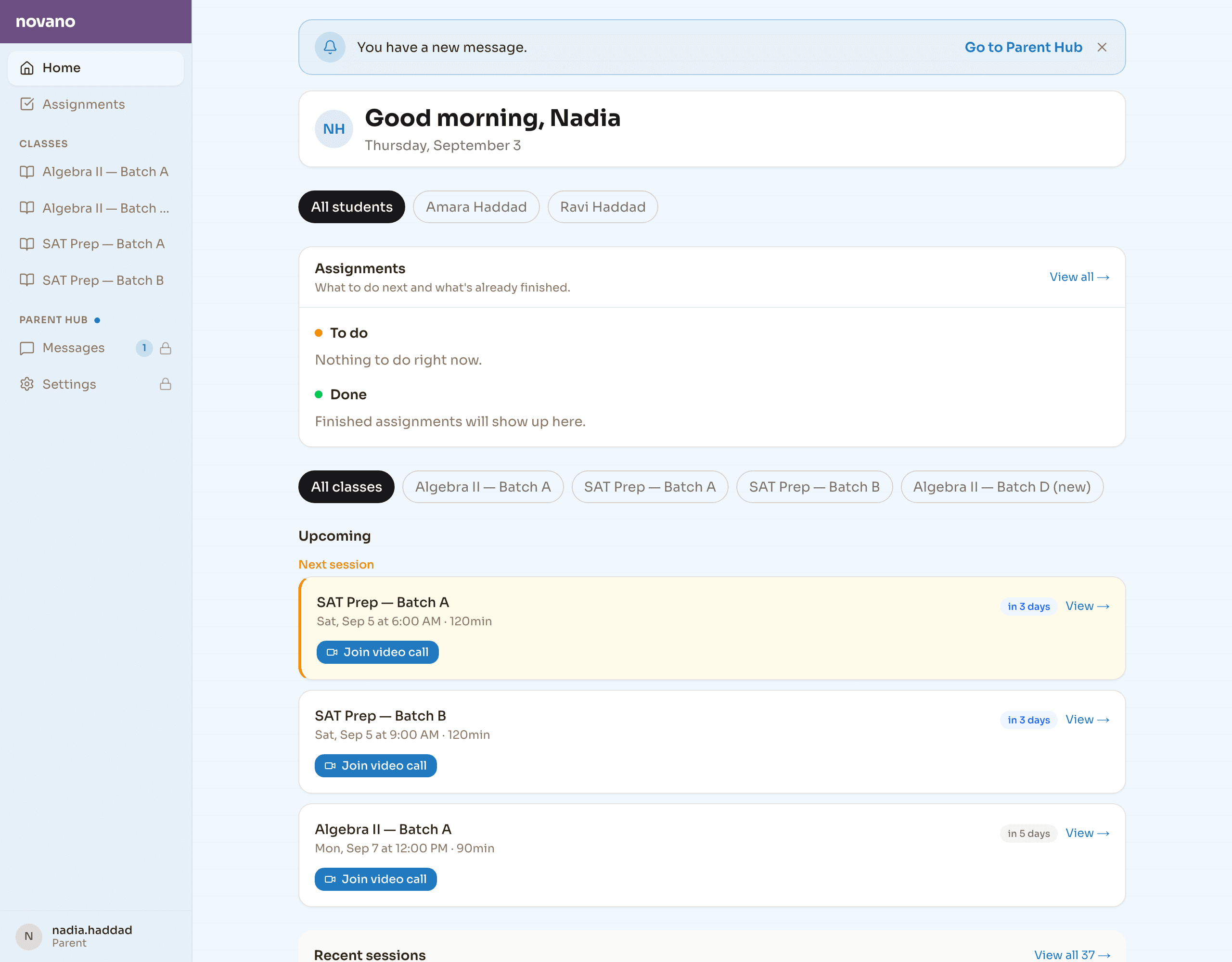
Parents and students get their own secure sign-in — no app, no password to reset. The family portal shows their upcoming sessions with a link to join, what's assigned and what's done, and their progress — which is usually enough to stop the messages asking.
When your practice becomes a team, Novano grows with it.
Add the organization layer when you need it — staff roles, multi-tutor scheduling, CRM, payroll calculation and reporting — without starting over with your students, materials and teaching history.
Good to know
Do I have to make my materials in Novano?
No. Upload the worksheets and resources you already use and teach straight from them. Novano's creation tools are there for when you want something new, not a requirement for teaching here.
Is there built-in video?
Yes — video and a shared whiteboard inside Novano, with live annotation on your materials, so there's no separate meeting tool to manage.
Do my students need an account?
Students and families sign in through a secure link to the family portal. No app to install.
How does marking work?
Multiple choice is scored on submission, and Nova drafts the written answers for you to check and adjust. Both land in the same gradebook, which builds a record over time.
What happens if I take on a second teacher?
You move to the Center tier, which adds the organization layer — scheduling across teachers, payroll, CRM and reporting. Same account, same students, same materials.
Have a look before you move anything.
Bring the tools you're using now and we'll be straight with you about whether this actually simplifies them.
Every new account gets 30 days free. A card is needed to start; cancel any time before day 30.