Everything you need to teach, connected to everything you use to run the center.
Prepare the lesson, teach it live with a shared whiteboard, give families one place to keep up — and keep all of it connected to the same student record your center already works in.
Every new account gets 30 days free. A card is needed to start; cancel any time before day 30.
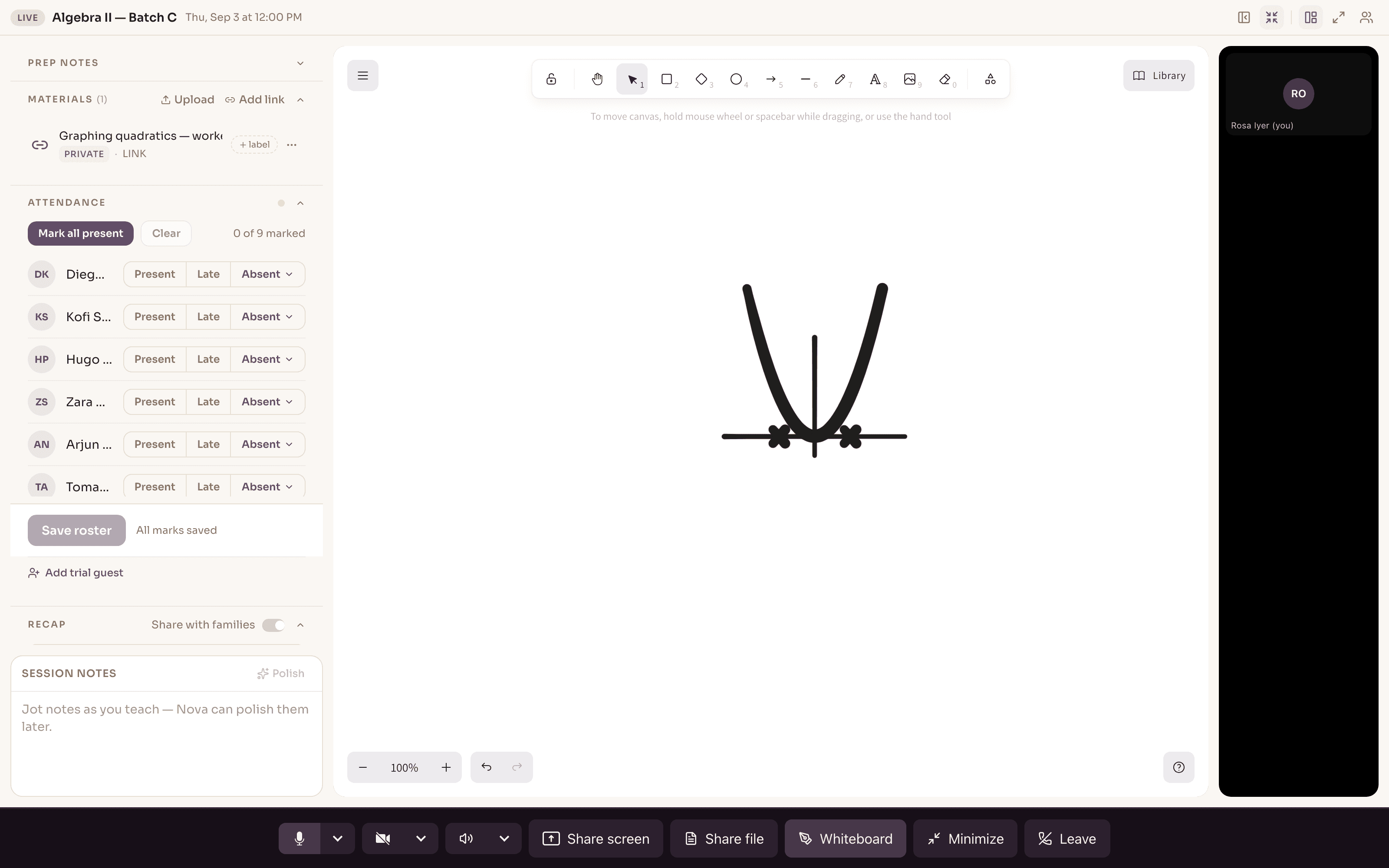
Start with something worth teaching.
Build lesson material in Novano's Create workspace and keep it in your Library, so a tutor prepares from what the center already has instead of rebuilding the same worksheet every term.
Because the material lives in the same system as the class, a prepared lesson can sit right beside the teaching surface when the session begins — not in a folder on someone's laptop.
- Create worksheets, quizzes, warm-ups and lesson plans in one workspace
- Keep them in a Library the whole team can prepare from
- Reuse and adapt, rather than starting from a blank page each time
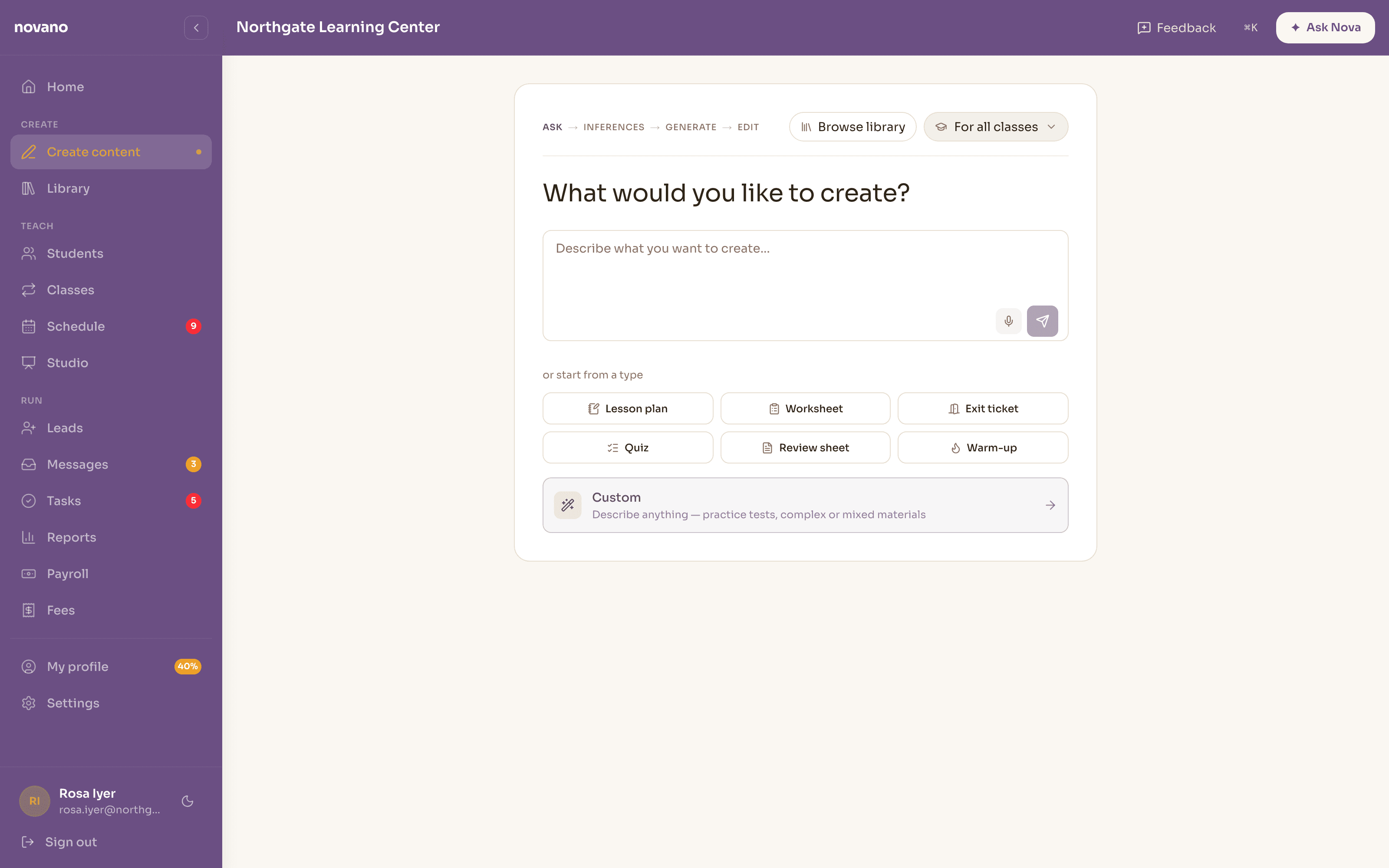
Bring the lesson into Novano, not into a disconnected classroom.
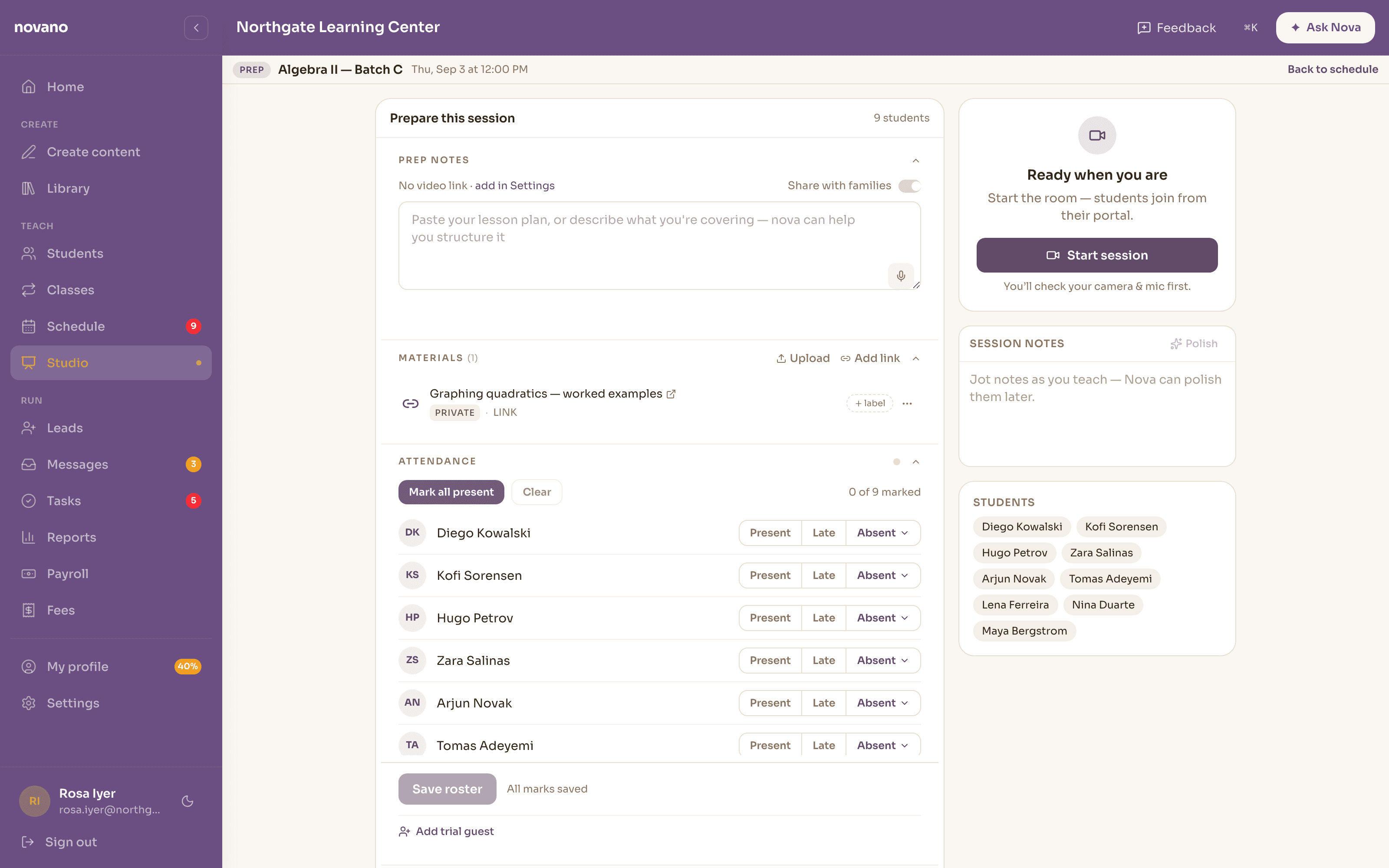
Teach live without sending students off to a separate video tool. Video, the lesson material and a collaborative whiteboard stay in one room — and the room belongs to the class, so the roster, attendance and materials are right there while you teach.
The whiteboard is shared: tutor and students work on the same canvas, and the board is saved so it can be reviewed with the session afterwards.
A student joins with their camera off. Turning it on is a choice they make as they join, every time — there is no setting that quietly remembers it for them, and nothing about the session is recorded.
- Live video, screen share and file share in the session
- Students join with cameras off, and choose each time
- A shared whiteboard the whole class can draw on, saved for later
- Attendance marked in the same place you're teaching
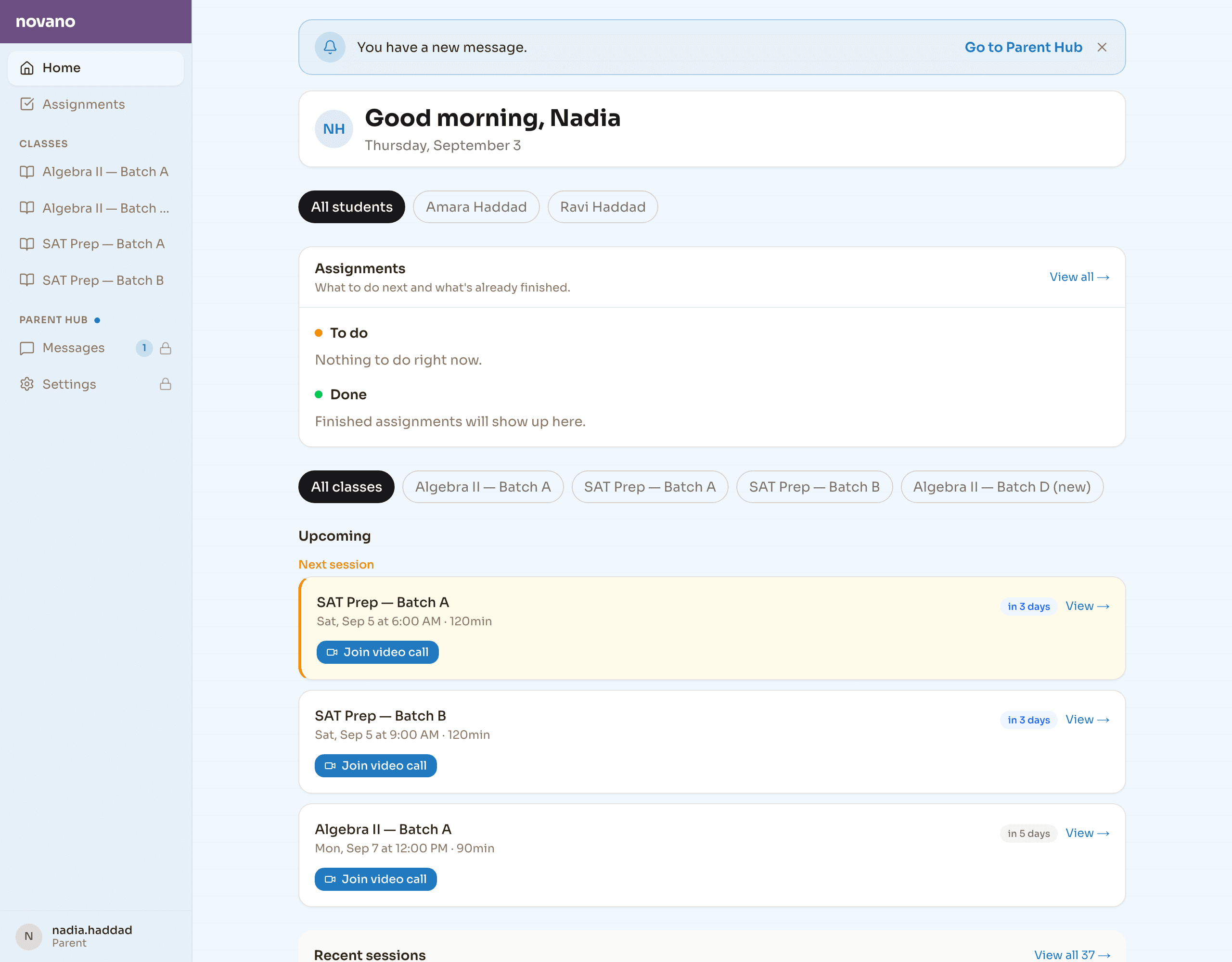
Give families one place to keep up.
The lesson doesn't end when the call closes. A family portal gives a parent, guardian or older student one consistent place to return to — their classes, what's assigned and what's finished, and the next session with a link to join.
It reads from the same student record the center works in, so what a family sees is the real thing, not a copy that drifts out of date. It's a feature and a trust signal at once: Novano isn't only what the administrator sees.
- One family portal across every class a student is in
- Assignments split into what's to do and what's done
- Upcoming sessions, each with a link to join the call
Don't let the learning disappear when the session ends.
Assessments and teaching evidence can become part of the student's ongoing record — instead of living only in a tutor's memory or a disconnected teaching tool.
- Teach
- Assess
- Evidence
- Student record
The same lesson that gets taught produces the evidence — which is what lets Novano show a direction of travel, honestly, over time.
Teaching and operations aren't two different worlds.
The lesson is the event they share. One session drives the center's operation and builds the student's learning record at the same time — which is the whole point of running both in one system.
Feeds the center
- Attendance
- Billing
- Center view
Feeds the record
- Evidence
- Progress
- Student view
What happens while teaching informs both how the center operates and what it understands about the student — because it's one event, recorded once.
Good to know
Can we actually teach through Novano, or does it hand off to Zoom?
You teach inside Novano. The session opens a live room — video, a shared whiteboard, screen and file sharing — that belongs to the class, so the lesson stays connected to the roster, materials and student records rather than happening in a separate tool the center can't see.
Is the whiteboard real, and can we get it back afterwards?
Yes. It's a collaborative canvas the tutor and students draw on together during the session, and the board is saved so it can be reviewed later from the session. It's the whiteboard scene that's kept, not a video recording of the call.
Do students and families get their own view?
Yes — a family portal, one place a parent, guardian or older student returns to. It shows their classes, what's assigned and what's done, and the upcoming sessions with a link to join. It's the same student record the center works in, seen from the family's side.
Where do lessons come from?
You build them in Novano's Create workspace and keep them in your Library, so tutors prepare from shared material instead of rebuilding the same worksheet every term. A prepared lesson can sit right beside the teaching surface when the session starts.
What happens to the work after a session?
Assessments and teaching evidence can become part of the student's ongoing record rather than living in one tutor's memory — which is what lets Novano show a direction of travel for a student over time. It never invents a score, and where there isn't enough graded work to say anything honest, it says that.
Bring the whole tutoring experience into one connected system.
See a lesson taught in Novano, from the material through the live room to the record it leaves behind.
Every new account gets 30 days free. A card is needed to start; cancel any time before day 30.