Don't let the next student disappear in someone's inbox.
Bring inquiries into one center-owned pipeline, keep the next follow-up visible, and carry the relationship forward when a lead becomes a student — in the same system that will schedule, teach, bill and understand them.
Every new account gets 30 days free. A card is needed to start; cancel any time before day 30.
The questions a front desk answers every day.
Each one is a view in the pipeline, not a report someone has to assemble.
Which leads haven't heard from us yet?
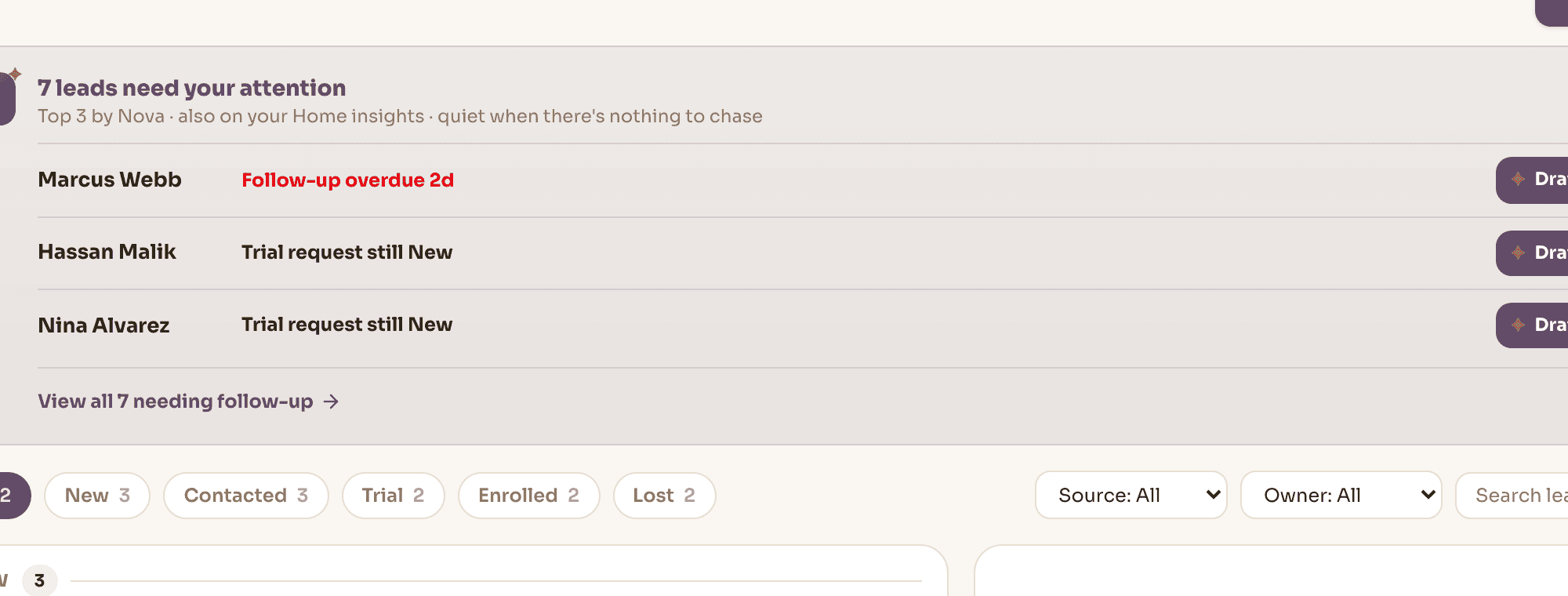
Follow-ups due today or overdue, flagged in the pipeline rather than remembered by whoever took the call.
Where did this family come from?
Every lead carries a source — the profile form, a referral, a walk-in, a phone call, social — recorded when it arrives.
Who is coming in for a trial?
Trial-stage leads with the session already booked against a real class, and the ones still waiting for a slot.
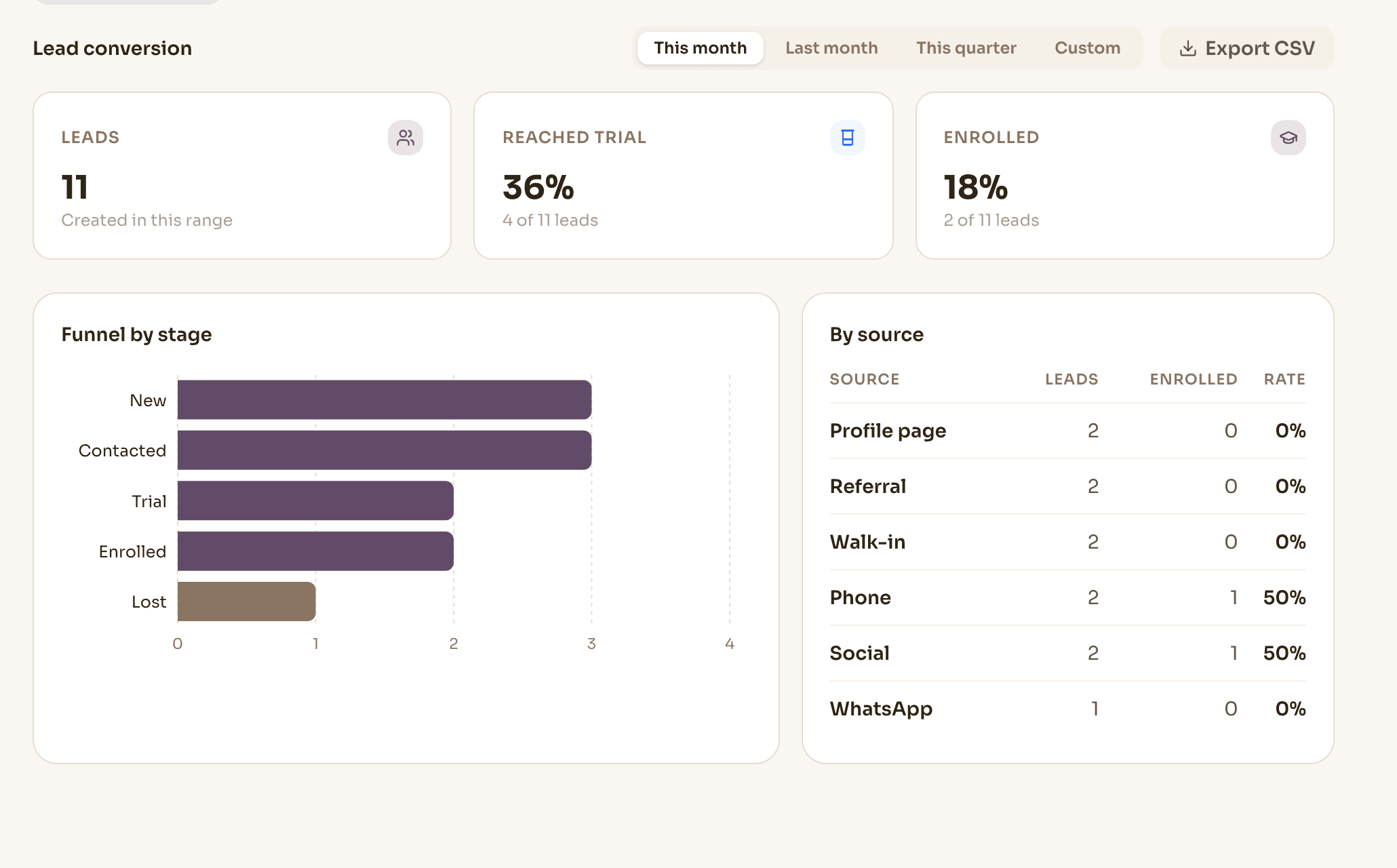
How many inquiries became students last month?
Stage counts and conversion rate over the range you pick, broken down by source.
What did we say to them last time?
The message thread stays attached to the lead, and survives the conversion into a student record.
Which source is actually worth the effort?
The funnel report puts volume next to conversion, so a channel that brings inquiries but not students shows up as one.
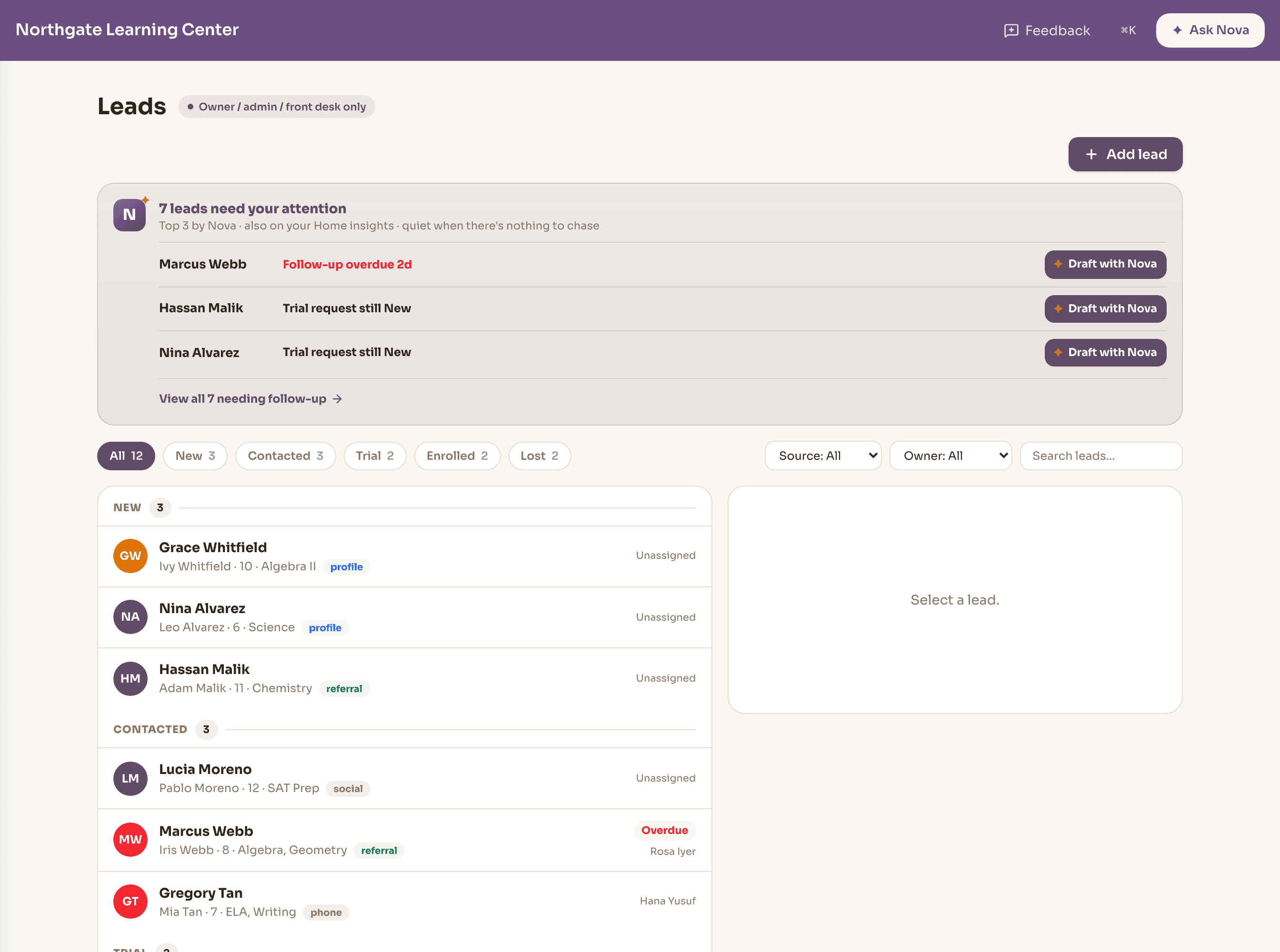
Every inquiry in one place, with a stage and an owner.
New, contacted, trial, enrolled, lost — with counts per stage, so the shape of the month is visible before anyone opens a report.
Assign a lead to a staff member, set the next follow-up date, log what was said. Overdue follow-ups are flagged rather than quietly aging.
- Filter by stage, source or owner; search by name or email
- Add walk-ins and phone inquiries by hand; profile-form inquiries arrive on their own
- Mark a lead lost with a reason and keep the record
- The message thread stays attached to the lead
The pipeline works you, instead of you working the pipeline.
Nova surfaces the handful of leads that need something today — a follow-up date that has passed, an active lead nobody has contacted in days, someone who asked about a trial and is still sitting in new, a trial with no session booked.
Which leads qualify is worked out from those signals, not guessed at. Nova adds the order and the one-line reason, offers a drafted follow-up, and stays quiet on the days there is nothing to chase.
Nova finds what matters. You stay in control.
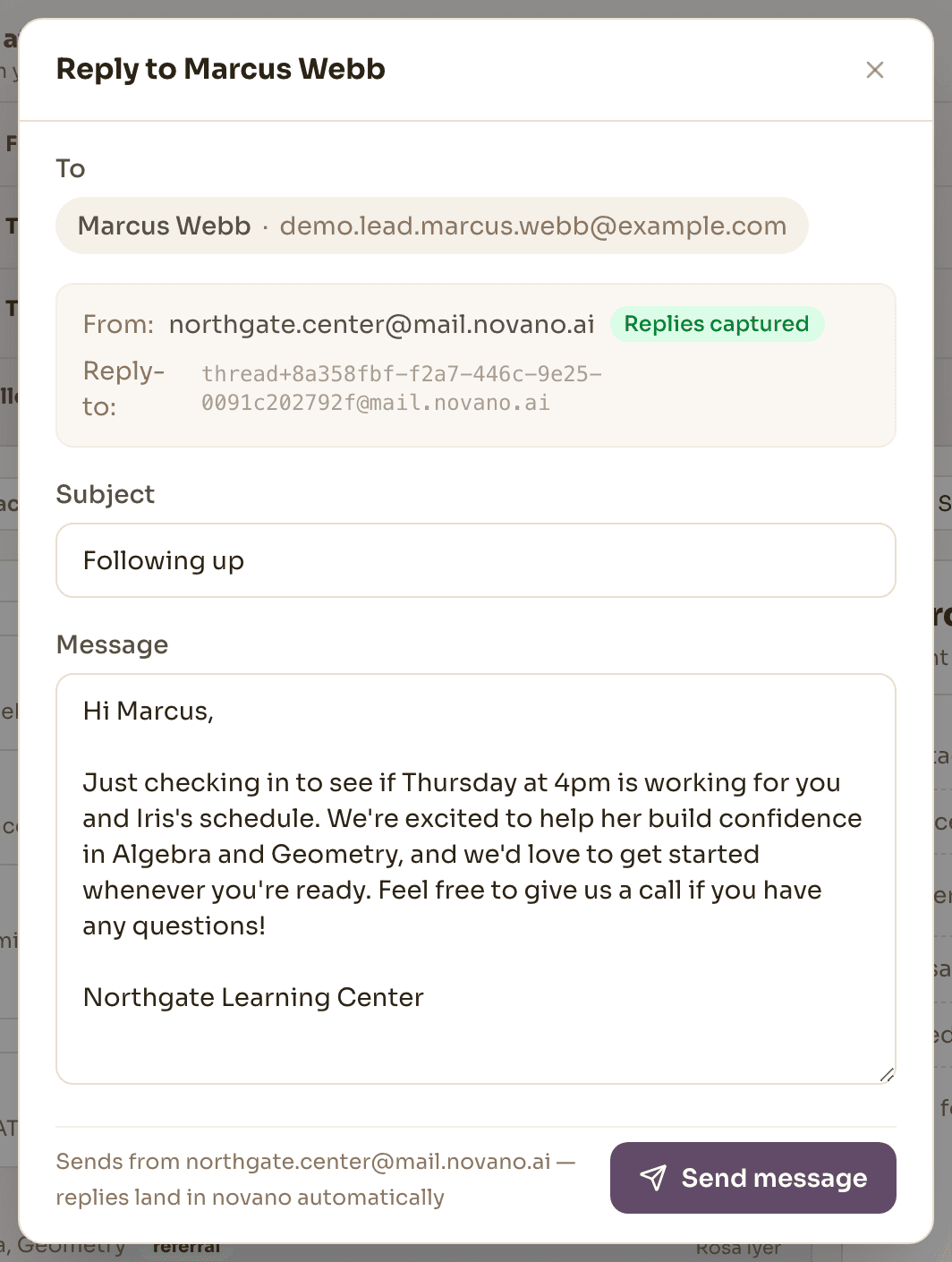
A drafted reply beats a blank message box.
Ask Nova for a follow-up and it writes one from what you actually know about that lead — the child, the subjects, where they came from, how long it has been, what was said last time. It arrives as an editable draft. You read it, change what you want, and send it. Nova never sends on your behalf.
Convert once, and the rest of the center already knows.
Book a trial and the prospect becomes a trial student in a real class, with a real session, and no fee obligation attached. If it goes well, converting turns them into an enrolled student and can put them in a class in the same step.
From that moment they are simply a student: scheduled, marked present, billed and reported on like everyone else. The lead record stays behind as the history of how they arrived.
Enrollment shouldn't start a new record.
In disconnected systems, converting a lead means copying the same person into a student database and starting over. In Novano, enrollment is the transition from prospective student to student — the relationship carries into the system that will schedule, teach, bill and understand them.
Lead
prospective student
- Name & child
- Family contact
- Inquiry history
Student
the same person
- Schedule
- Attendance
- Fees
- Progress
Lead
prospective student
- Name & child
- Family contact
- Inquiry history
Student
the same person
- Schedule
- Attendance
- Fees
- Progress
The CRM relationship becomes the student relationship.
One record, all the way through.
The inquiry, the trial and the student are the same thread — not three systems telling three versions.
- Inquiry
- Follow-up
- Trial
- Enrolled
- Scheduled & taught
- Billed
- Progress
A lead is the beginning of the student record — and the funnel report reads back along the same path: how many arrived, how many reached a trial, how many enrolled, and from where.
Good to know
What are the stages?
New, contacted, trial, enrolled and lost. You can move a lead to any stage at any point — the pipeline follows what actually happened rather than forcing a sequence.
Can I add a lead that came in by phone?
Yes. Add one by hand with the name, contact details, child, subjects and where they came from. Inquiries from your public profile page arrive on their own and land as new leads.
Does converting a lead create a student?
It creates the real student record — or promotes the trial student they already are — links the two, and can enrol them in a class in the same step. Nothing is re-typed, and the message history comes with them.
Does booking a trial charge the family?
No. A trial creates no fee obligation and no charge. It books them into a real class so they experience the actual session.
Does Nova send follow-ups on its own?
No. Nova drafts a follow-up from that lead's own details and history, and it lands in an editable message box. Someone reads it, changes what they want, and sends it.
Who on my team can work leads?
Owners, admins and front desk. Tutors have no leads surface — enrollment isn't their job, and the pipeline holds contact details for families who aren't yet students.
Can we bring our existing leads across?
Yes, with help from us during setup — we'll work through your current inquiries with you rather than handing you a spreadsheet template. There's no self-serve importer that ingests another tool's export automatically.
Bring last month's inquiries.
We'll walk them through the pipeline as they actually happened and show you where the drop-off was.
Every new account gets 30 days free. A card is needed to start; cancel any time before day 30.