Attendance shouldn't stop at “present.”
Schedule the work, record what actually happened, and let that record carry into billing, payroll, reporting and follow-up — because they all work from the same session.
Every new account gets 30 days free. A card is needed to start; cancel any time before day 30.
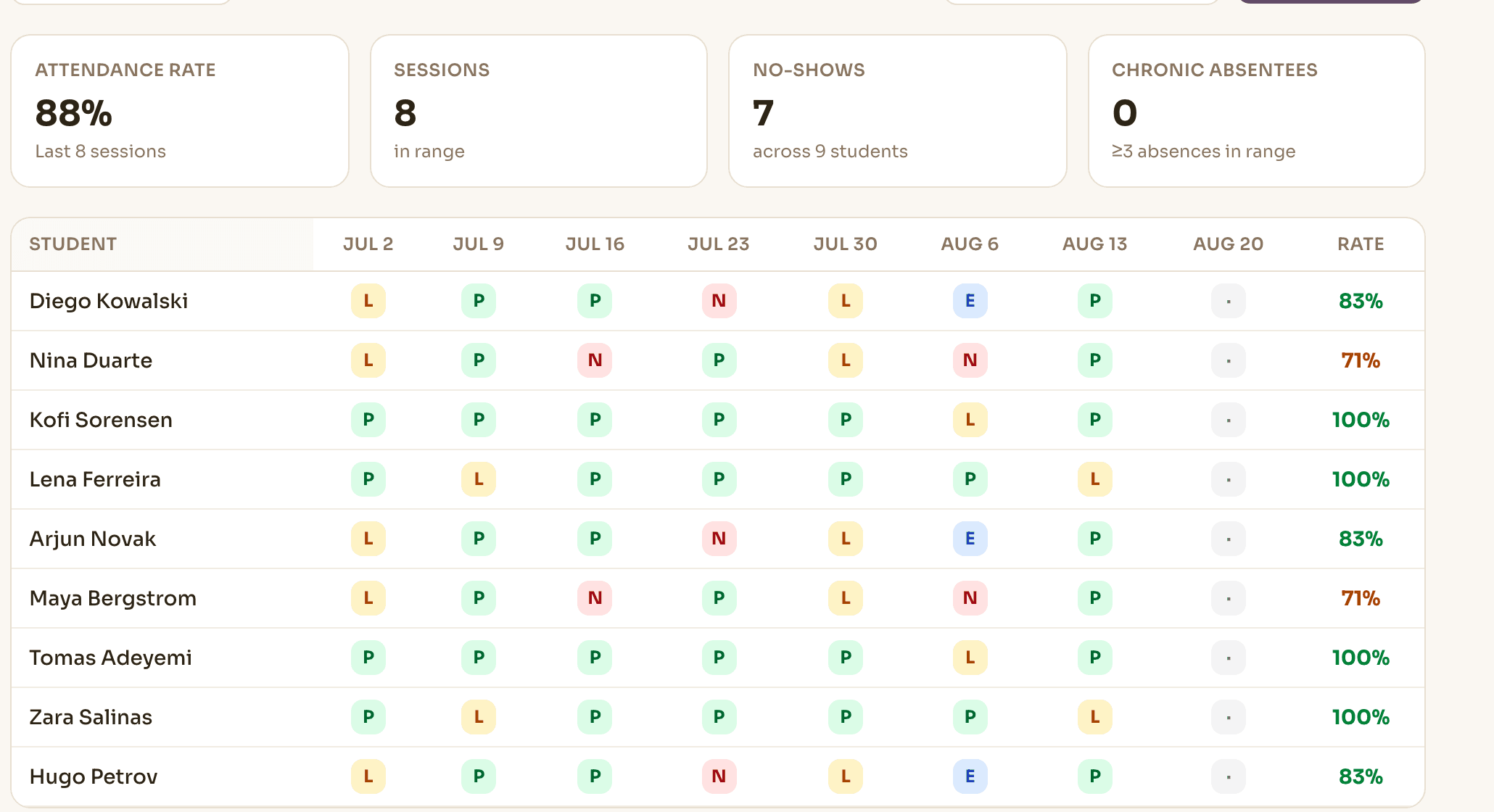
Schedule a center, not just a calendar.
Organize courses into batches, assign staff, book rooms, and see the whole center teaching at once — several classes running side by side in the same slot.
Novano checks conflicts by staff and by room independently, so parallel classes don't raise a false clash. Four rooms running at 4pm is a normal afternoon, not a scheduling error.
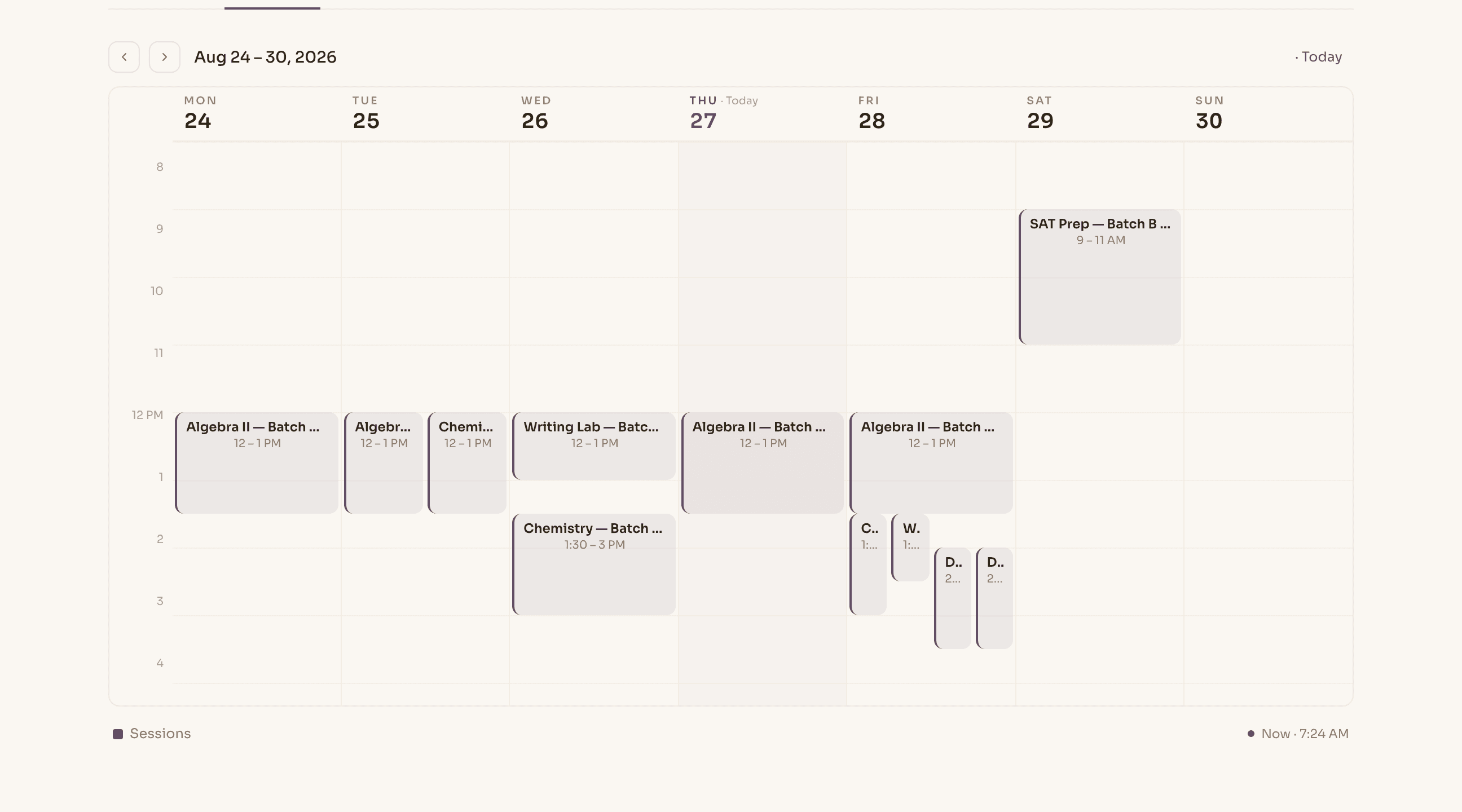
Record what really happened.
“Present” and “absent” don't describe a tutoring center's week. Novano records the states you actually deal with, marks a whole batch in one pass, and keeps it all as history rather than a sheet that gets replaced each term.
- Present, late, absent and no-show recorded as distinct states
- Late cancellations handled by policy, not by memory
- Bulk roster marking for a whole batch in one pass
- Kept as history — the attendance rate is derived, not typed

A cancellation shouldn't start a spreadsheet.
A late cancellation is where separate tools drift apart — one place marks it, another decides the charge, a third owes a makeup. Novano runs the whole exception from the one record, on the policy you set.
- Cancellation
- Your policy
- Attendance state
- Charge or makeup
The policy is yours; Novano applies the outcome. A makeup credit lands against a future session in the same system, so it can't go missing between two of them.
Attendance becomes operational data.
A marked session isn't the end of anything. It's the input the rest of the center works from — the same event, read four different ways.
feeds
Record it once. Let the rest of the center work from what actually happened.
Good to know
Can two classes run at the same time?
Yes. Novano checks conflicts by staff and by room independently, so parallel classes don't raise a false clash — a center running four rooms at 4pm is a normal afternoon, not an error.
Who can mark attendance?
The staff assigned to the session, plus owners and administrators. What each person sees follows their role.
What happens when a student cancels late?
Your cancellation policy decides. Novano can issue a makeup credit and apply it against a future session, from the same system that holds attendance and fees.
Can we handle group and individual tutoring?
Both, on the same schedule and the same record. Courses organize into batches with assigned staff and rooms; 1:1 sessions sit alongside them and mark attendance the same way.
See it with your own timetable.
Every new account gets 30 days free. A card is needed to start; cancel any time before day 30.