Your center shouldn't depend on everyone knowing everything.
Give tutors and staff the access, schedule and responsibilities their job requires — while center-wide operations stay appropriately scoped. The move from running everything yourself to running the center through a team, without losing control of it.
Every new account gets 30 days free. A card is needed to start; cancel any time before day 30.
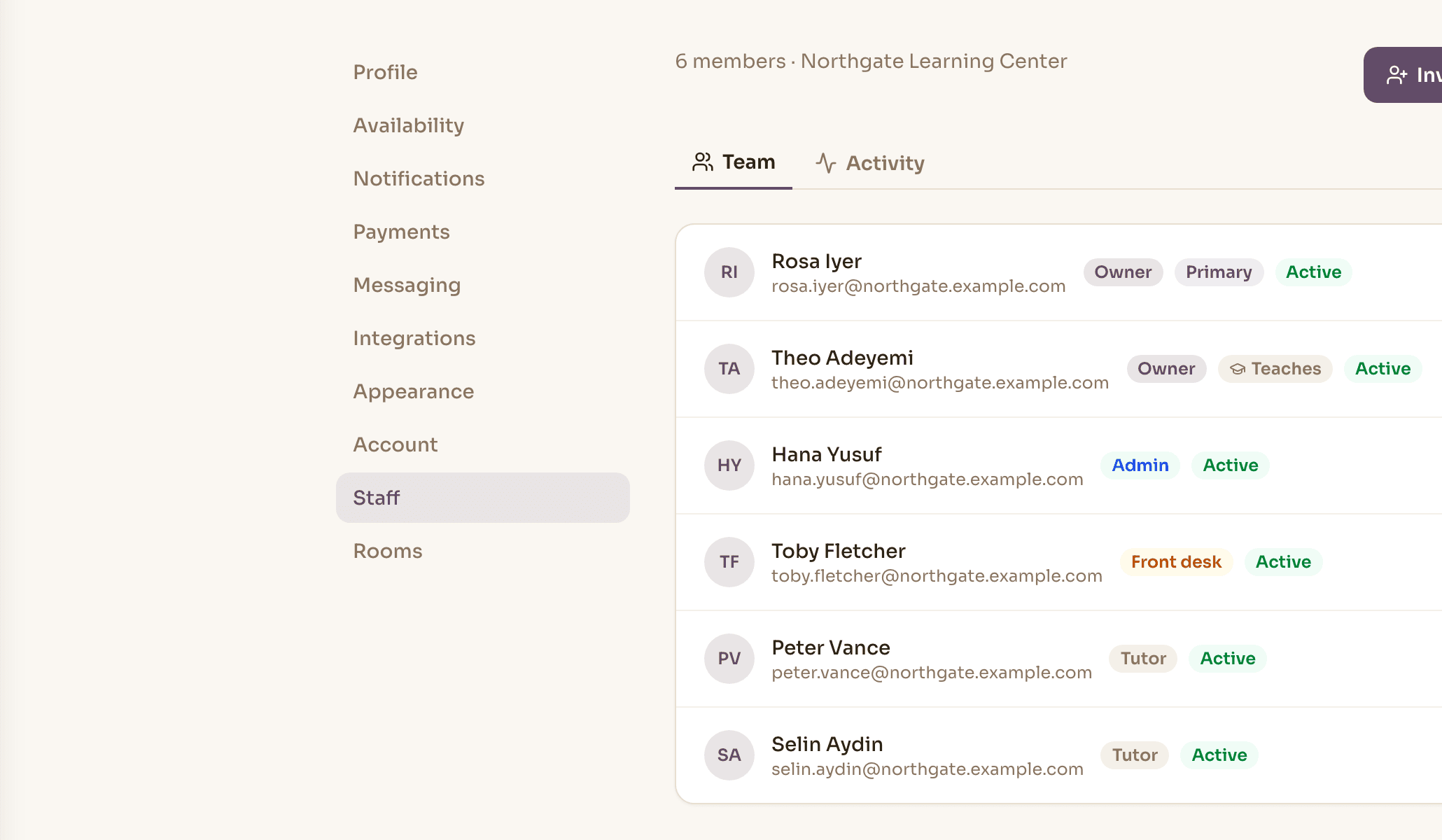
What each role can do, in the product's own words.
These summaries appear the moment you pick a role — and they are generated from the same permission rules the server enforces, so what you read is what is allowed.
Owner
Admin
Front desk
Tutor
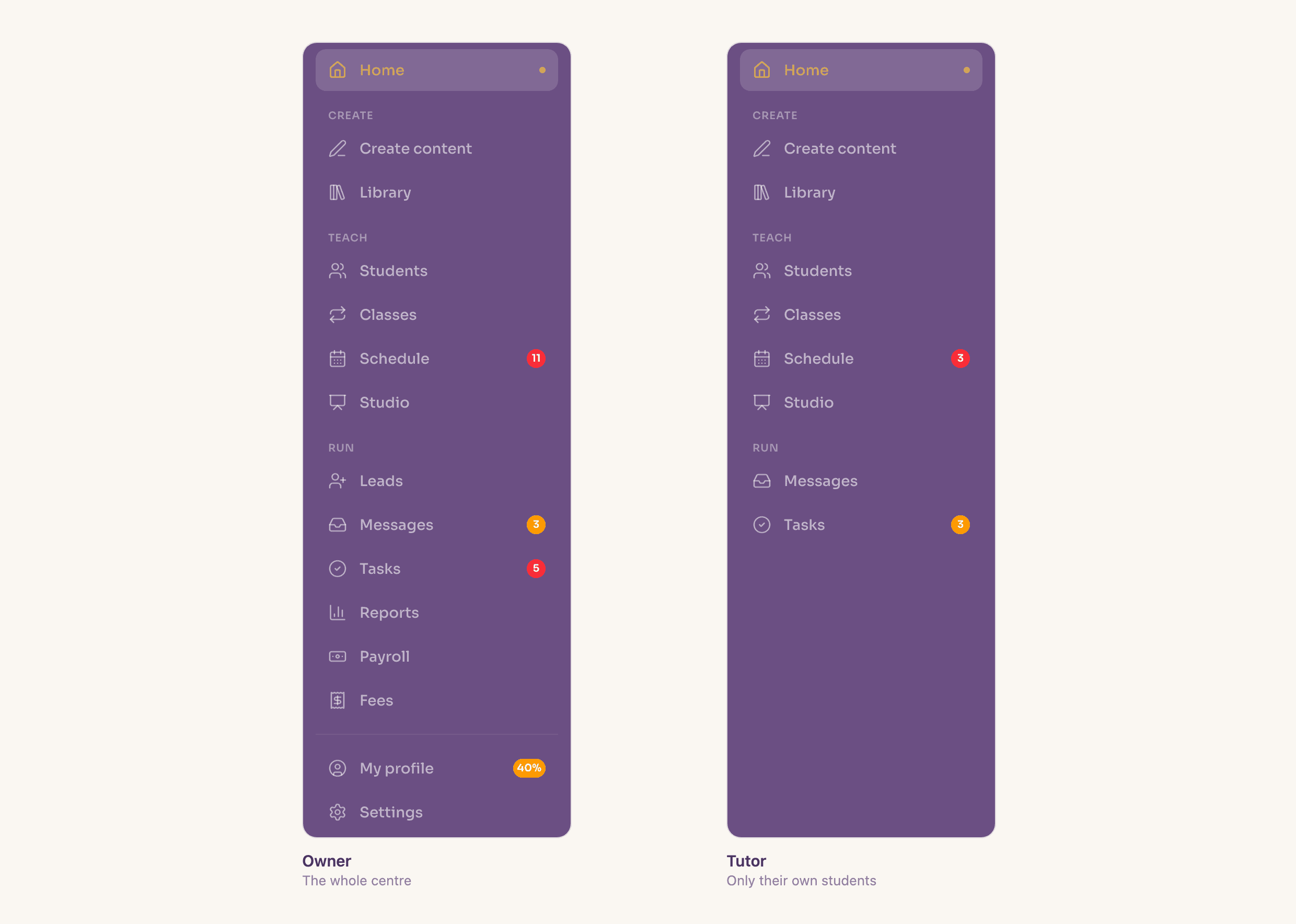
A tutor's limits are a database rule, not a hidden menu.
Assign a student or a class to a teaching staff member and that assignment becomes the boundary of what they can see. Reassign it and their view changes with it.
The boundary holds below the interface: a scoped tutor cannot reach another tutor's students through any route into the system. Owners, admins and front desk see the whole center.
- Students, classes and sessions scoped by assignment
- Teaching status is separate from role — an admin who teaches is assignable
- Only owners and admins reassign; a tutor cannot reassign away from themselves
- Up to three owners, so partners don't share credentials
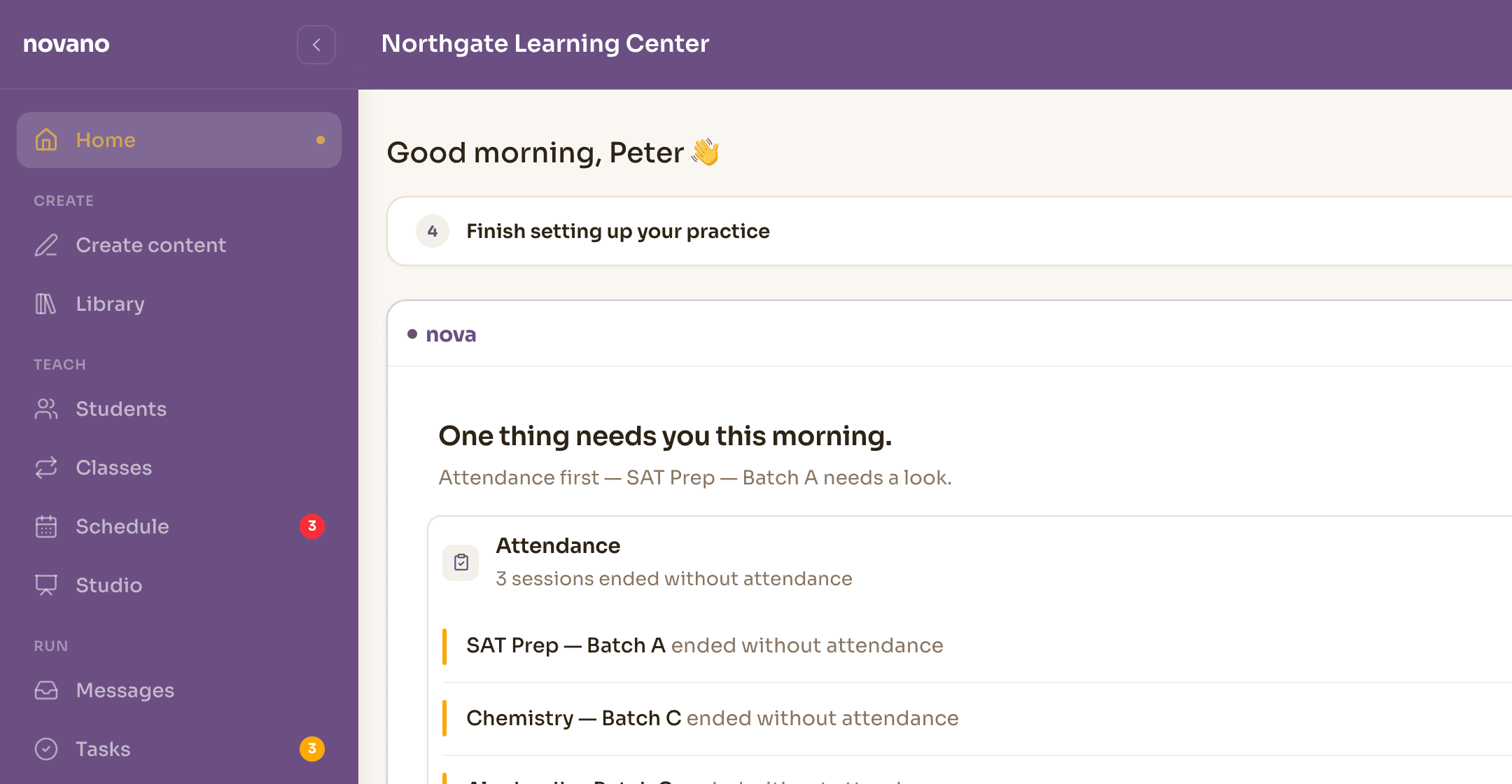
See where your team is teaching, and in which room.
Assign staff and rooms to batches and view the week across the center. Novano checks clashes by staff member and by room, so four classes at 4pm in four rooms is a normal Tuesday rather than an error.
- Four rooms. Four tutors. One operating schedule.
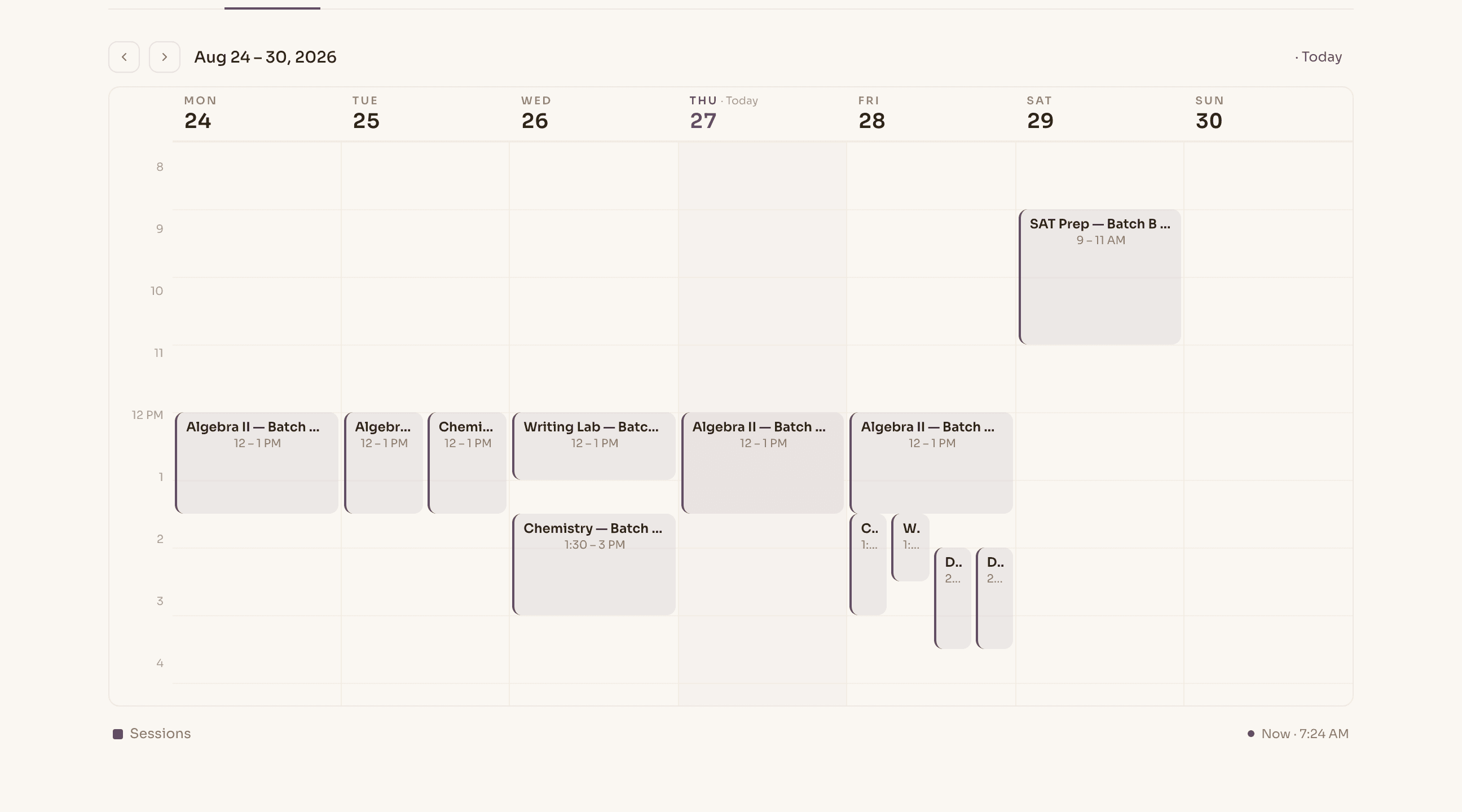
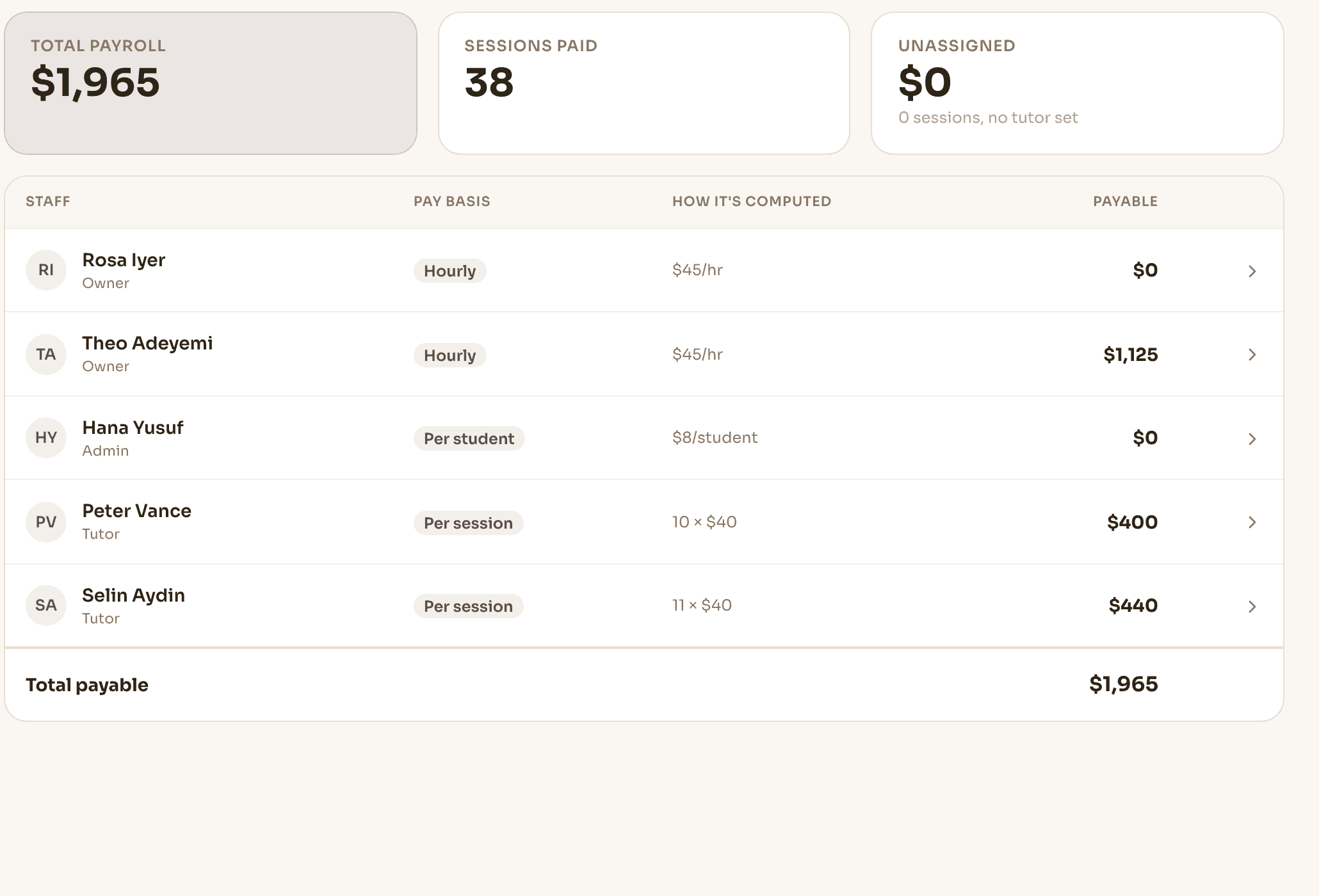
Pay periods computed from work already recorded.
Record how each person is paid once — by the hour, by the session, by the number of students who attended, or as a share of what the session earned. Novano does the period arithmetic from the sessions they taught and the attendance already marked.
Open any total and you get the sessions behind it, each with its own contribution, adding up to the figure shown. Someone with no rule set yet reads as “rate not set” and contributes nothing, rather than a confident wrong number.
- Hourly, per session, per attending student, or a revenue share
- Line-item statement per tutor that reconciles to the period total
- Work with no assigned tutor is shown separately, never folded in silently
- CSV export, plus a running annual gross per person
- Owner-only — no other role has a payroll surface
Seeing the problem is only half the job.
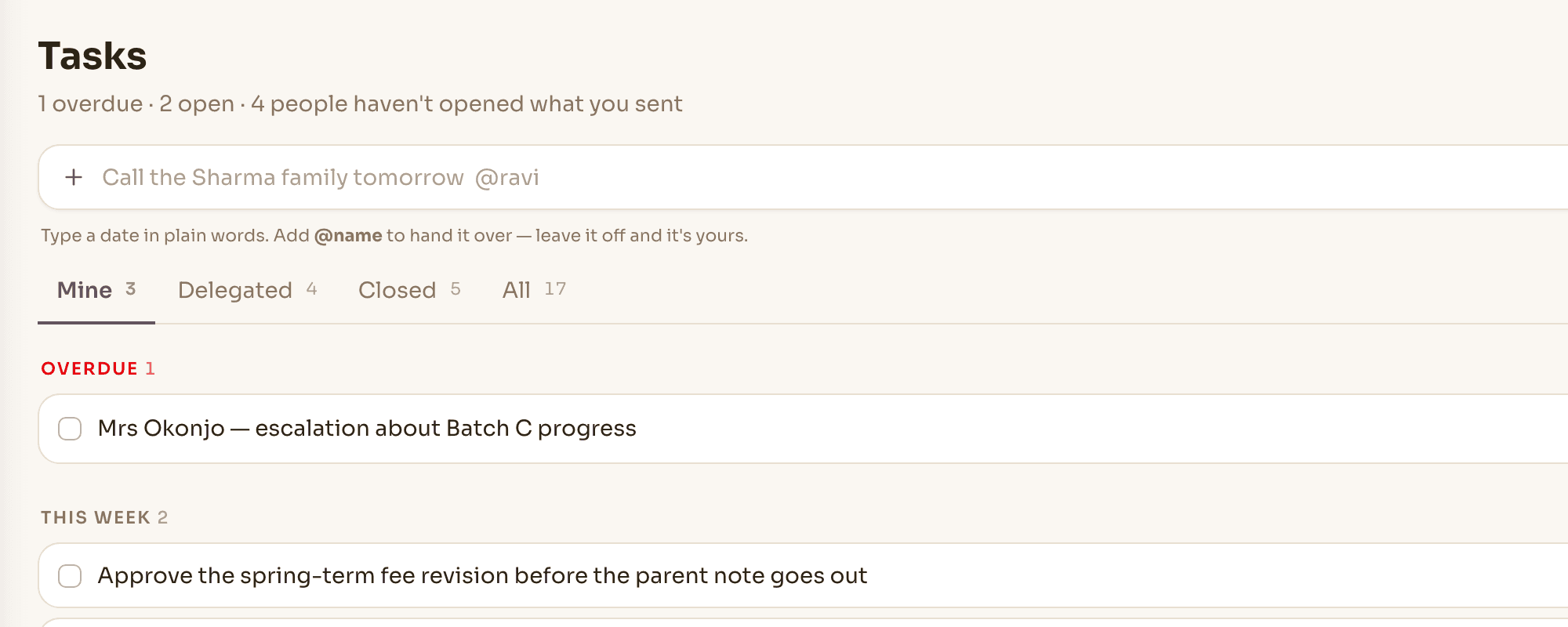
When something needs follow-up, turn it into a clear responsibility. Assign it, set a due date, and keep the discussion with the work — the task lands on their list and stays on yours as delegated, and you can see whether they've opened it.
Know what needs attention. Know who owns it.
No boards, no project-management overhead. Staff tasks exist to close operational loops, not to run software projects.
- Issue
- Assign to Maya
- Due Friday
- Resolved
A responsibility with an owner and a date — not a message that scrolls away.
Nova works with the same boundaries as your team.
Nova doesn't become a separate path around your center's permissions. Its available context and actions follow the capabilities of the person using it — a tutor's Nova is about their teaching; an owner's reaches the whole operation.
The mechanism is the reassurance: if someone doesn't have a capability, Nova never receives the corresponding tool for that conversation. It isn't filtering answers after the fact — the tool to produce them was never in the room.
Staff aren't another database. They're part of the work.
A lead becomes the student; a staff member participates in the operation. One person's role, schedule, teaching, attendance, pay and tasks are one connected record — and Nova reads it within their scope, not around it.
- Role
- Schedule
- Teaching
- Attendance
- Pay
- Tasks
The tutor marks a roster. That single act is what the pay period and the center's reports are computed from — nobody re-enters what a colleague already recorded.
Good to know
Can a tutor see the rest of the center's students?
No. A tutor sees the students, classes and sessions they are assigned to, and that limit is enforced in the database rather than by hiding menu items. Owners, admins and front desk are not scoped this way.
What if my admin also teaches?
Teaching is a separate switch from role. Anyone can be marked as teaching staff and become assignable to classes, so an admin who covers a Saturday batch works without being made a tutor.
How is tutor pay worked out?
You record one pay rule per staff member — hourly, per session, per attending student, or a share of session revenue — and Novano computes each period from the sessions they actually taught. Every total opens into the line items that produced it.
Does Novano move the money?
No. Novano calculates what each tutor is owed for a period and exports it as CSV, plus a running annual gross per person. Paying them stays wherever you pay them today.
Who can see payroll?
Owners only. Admins, front desk and tutors have no payroll surface at all — the page is absent from their navigation and refused by the server if requested directly.
What happens when someone leaves?
Deactivating a staff member removes their access and keeps everything they recorded — sessions, notes, attendance and payments stay intact, and their assignments fall back to the owner and admins so nothing goes invisible.
Let the center run through the team — without losing control.
Bring your org chart. We'll set the roles up the way your center actually runs and show you each person's view.
Every new account gets 30 days free. A card is needed to start; cancel any time before day 30.